 Minecraft Java Edition
BungeeCord Documentation
BungeeCord is a Minecraft proxy that connects multiple servers together, providing a smooth and unified gaming experience.
 Minecraft
Try this guide on a real Minecraft server, free for 12 hours
A Minecraft server ready in minutes to put this tutorial into practice, then you decide.
- No credit card
- 12 hours from first launch
- One trial per person
Github page: https://github.com/SpigotMC/BungeeCord/
Website: https://ci.md-5.net/job/BungeeCord/
Rent a server now: https://lordhosting.com/gaming/bungeecord
Each server behind your BungeeCord network is a Minecraft server hosting instance you can deploy in one click.
⚙️ Adding a plugin to your server
First, you need to go to your game panel, log in, and follow these steps:
- Click on the "File manager" tab to access your server files.
- Next, find the folder named "Plugin" and click on it.
- Press the "Upload" button at the top of your page and select the plugins on your computer/phone that you want to import to your server.
- Wait for the upload to finish, then restart your server.
❗Always good to know
- If an error appears or your plugin does not work, please contact our support team via ticket or Discord.
- Website where you can find plugins:
- https://www.spigotmc.org/resources/categories/bungee-proxy.3/
🔧 Changing your server's MOTD
First, you need to go to your game panel, log in, and follow these steps:
- Click on the "File manager" tab to access your server's files.
- Next, find the file named "config.yml" and click on it.
- By default, you should find a line that says
motd: '&1Another Bungee server'. - Replace the text
&1Another Bungee serverwith the MOTD you want, for example:motd: My awesome server - Once you have found the perfect message, click on the "Save Content" button to save your changes, then restart your server.
👑 Adding an operator to your server
First, you need to go to your game panel, log in, and follow these steps:
- Click on the "File manager" tab to access your server files.
- Next, find the file named "config.yml" and click on it.
- Add a new user as a bungee administrator
groups:
  md_5:
  - admin
  steve:
  - admin
🔧 Update your server
First, you need to download the latest version of BungeeCord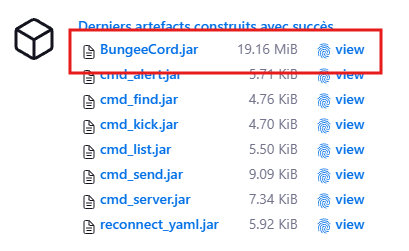
Next, go to your game panel, log in, and follow these steps:
- Stop your server.
- Click on the "File manager" tab to access your server files.
- Delete the "BungeeCord.jar" file.
- Press the "Upload" button at the top of your page and select the file you just downloaded.
- Start your server.
💾 Learn more about files
config.ymlcontains basic settings such as server name, port, maximum viewing distance, etc. These settings can all be safely modified.
Put this guide into practice on your own server
From €3.99/month. Online in a few minutes, anti-DDoS protection, 7/7 support, no commitment.
Related guides
How to Change the Java Version on Your Minecraft Server
Tutorial to change the Java version (Java 8, 17, 21, GraalVM) on your LordHosting Minecraft server in a few clicks from the panel.
How to Choose the Best Minecraft Server Framework in 2026
Vanilla, Spigot, Paper, Forge, Fabric or NeoForge: which framework should you choose for your Minecraft server? Full comparison guide.
Copper Golem in Minecraft: the complete guide
How to build a copper golem in Minecraft, what it does, how it oxidizes and how to use it to sort your chests automatically, solo or on a server.
Create a Minecraft server (Java & Bedrock): 2026 guide
How to create a Minecraft Java or Bedrock server in 2026: free self-hosting or dedicated host. Step-by-step guide, server.properties config, mods.